

ERP API Integration Services: Connect Your ERP to Everything Else
Real-time API integration between your ERP and the CRM, e-commerce, and BI tools that depend on it
Published at: October 25, 2026
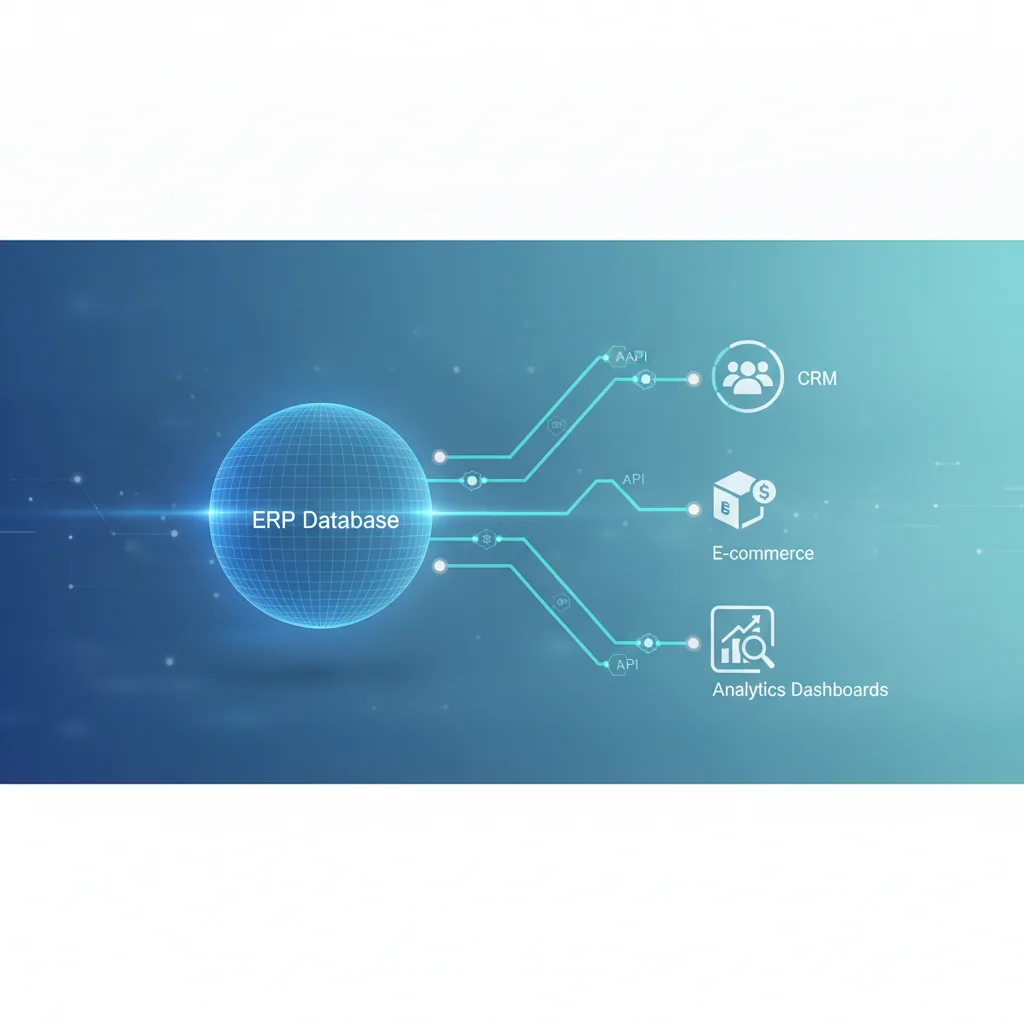
ERP API Integration Services: Connect Your ERP to Everything Else
Your ERP holds the truth about inventory, orders, finance, and customers — but it rarely talks to the rest of your stack on its own. Sales teams re-key data into a CRM. Finance exports CSVs to reconcile with a BI tool. Warehouse staff check two systems to confirm a shipment. Every manual bridge is a place where data drifts out of sync and errors creep in. ERP API integration services close that gap — connecting SAP, NetSuite, Priority, Microsoft Dynamics, Odoo, and other ERP platforms directly to your CRM, e-commerce store, BI dashboards, and finance tools through APIs, so data moves automatically and stays accurate everywhere.
What Is ERP API Integration?
ERP API integration is the practice of connecting your ERP system to other business software using its application programming interface (API) — rather than manual exports, spreadsheets, or one-off scripts that break every time a schema changes. A well-built integration:
- Syncs records (orders, invoices, inventory, customers) between systems in near real time
- Handles authentication, rate limits, and retries so integrations don't silently fail
- Maps fields correctly between systems that were never designed to talk to each other
- Logs and alerts on integration errors before they become data-quality problems
Why Businesses Need ERP API Integration
Most companies don't set out to build an ERP integration — they arrive at it after the manual process breaks down. The usual triggers:
- Order volume outgrows manual entry. Re-keying orders from an e-commerce platform or CRM into the ERP becomes a full-time job, and errors start costing real money.
- Finance can't trust the numbers. When invoicing data lives in the ERP but reporting happens in a BI tool fed by manual exports, monthly close takes days instead of hours.
- Sales and operations are working from different truths. A CRM shows a deal as "won" while the ERP still shows the customer as unprovisioned — because nobody updated both systems.
- Growth demands automation. Scaling teams can't scale manual data entry at the same rate; API integration lets headcount grow with the business, not with busywork.
Which ERP Systems We Integrate
UIDB builds ERP API integrations across the platforms our clients actually run, including:
- Priority ERP — deep, native API integration for Israeli and international businesses on Priority. See our Priority ERP integration services for Priority-specific work.
- SAP — Business One and S/4HANA integrations via OData and REST APIs
- NetSuite — SuiteTalk REST/SOAP API integrations for finance and order management
- Microsoft Dynamics 365 — Business Central and Finance & Operations API integrations
- Odoo — XML-RPC and REST API integrations for growing SMBs
- HubSpot + ERP combinations — syncing CRM pipeline data with ERP order and finance records so sales, finance, and fulfillment all see the same picture
REST API vs. Middleware for ERP Integration
There are two broad approaches to ERP integration, and picking the wrong one is expensive:
- Direct REST API integration. Custom-built connections that talk to the ERP's API directly. Faster, cheaper to run, and fully under your control — the right choice when you have a defined set of systems to connect and want a lean, maintainable solution.
- Middleware / iPaaS platforms. Tools like MuleSoft, Boomi, or Zapier sit between systems and handle mapping visually. Useful when you need many simple integrations fast, but they add a recurring subscription cost and another system to maintain, and can become a bottleneck for complex, high-volume ERP data flows.
We help clients choose based on integration complexity, data volume, and long-term maintenance cost — not just what's fastest to demo. For high-volume, business-critical ERP flows, a direct API integration usually wins on cost and reliability over a 2-3 year horizon.
Common ERP API Integration Use Cases
- CRM ↔ ERP sync — deals won in the CRM automatically create orders and customer records in the ERP, and shipping/invoice status flows back to the CRM
- E-commerce ↔ ERP sync — online orders post directly to the ERP for fulfillment and finance, and stock levels sync back to prevent overselling
- ERP ↔ BI/reporting — finance and operations dashboards pull live data from the ERP instead of weekly manual exports
- ERP ↔ payment and banking systems — automated invoice matching and reconciliation instead of manual bank statement checks
- Multi-ERP consolidation — businesses running different ERPs across regions or subsidiaries, unified into a single reporting or CRM layer
Our ERP API Integration Process
- Discovery & data mapping. We audit your current ERP, the systems it needs to connect to, and map every field that needs to move between them — including edge cases like partial shipments, refunds, and multi-currency records.
- Architecture design. We decide on direct API vs. middleware, define sync frequency (real-time, near-real-time, or scheduled batch), and design error handling and retry logic upfront.
- Build & test. Integration is built against a staging environment first, with test cases covering normal flows and the failure modes that actually happen in production — duplicate records, API timeouts, rate limits.
- Rollout with monitoring. We deploy with logging and alerting in place from day one, so integration failures are caught in minutes, not discovered a month later during month-end close.
- Ongoing support. ERP vendors update their APIs; we monitor for breaking changes and keep your integration running as systems evolve.
Why UIDB for ERP API Integration
UIDB is a boutique R&D partner, not a project-for-hire agency. We've built Priority ERP integrations, Salesforce integrations, and Airtable CRM integrations for SaaS companies and growing enterprises — which means we understand both sides of the connection: the ERP's data model and the CRM/BI/e-commerce tools it needs to feed. See our success stories for how this has played out for real clients, or explore our full services.
Frequently Asked Questions
How long does an ERP API integration project take?
A single-system integration (e.g., CRM to ERP) typically takes 3-6 weeks from discovery to production, depending on data complexity and how clean the source data is. Multi-system or multi-region integrations take longer.
Does every ERP have a usable API?
Most modern ERPs (SAP, NetSuite, Priority, Dynamics 365, Odoo) expose REST or OData APIs. Older or heavily customized on-premise ERPs sometimes require a middleware layer or custom connector — we assess this during discovery before scoping the project.
What happens if the ERP vendor changes their API?
We build integrations with monitoring and alerting so breaking changes are caught immediately, and we offer ongoing maintenance to update the integration when ERP vendors release API changes.
Can you integrate an ERP with a CRM we've already built?
Yes — most of our ERP integration work connects into existing CRM, e-commerce, or BI systems our clients already run rather than requiring a rebuild.
Ready to Connect Your ERP?
If manual data entry or unreliable spreadsheet exports are slowing your team down, an ERP API integration pays for itself quickly in time saved and errors avoided. Contact us for a free consultation and we'll map out exactly what a reliable integration would look like for your systems.
 Tags:
Tags:
- ERP API Integration
- ERP Integration Services
- ERP System API
- SAP API Integration
- NetSuite API Integration
- CRM ERP Integration


Need expert advice?
We'd love to hear about your challenge and propose a tailored solution.
Let's Talk
Leave a comment