

Building Web Apps the Android Way: Introducing JOPS
A 3.6 KB (gzipped) class-based SPA framework with a real view lifecycle, back-stack navigation and no build step
Published at: October 31, 2026
I've spent most of my career building native apps: Android, iOS, the WebView bridges that connect them to JavaScript, and C# desktop systems. Every time I came back to modern web development for an internal tool or a hybrid app, I found the same trade-off. Either I accepted a full build chain (bundler, transpiler, JSX, a hooks model) for a screen with five forms, or I wrote loose scripts with no structure at all.
I wanted something in between: the structure of an Android app, with a real view lifecycle and real navigation, running directly in the browser as plain JavaScript. That became JOPS (JavaScript Object-Oriented Programming), now on npm as jops-core.
What JOPS is
JOPS is a small single-page application framework built on native ES modules. There is no compiler and no bundler: you add an import map and a module script, and the browser runs your app.
- Views are classes. Every screen and component extends
View, and its state lives on the instance, where a debugger and a subclass can find it. - A real lifecycle.
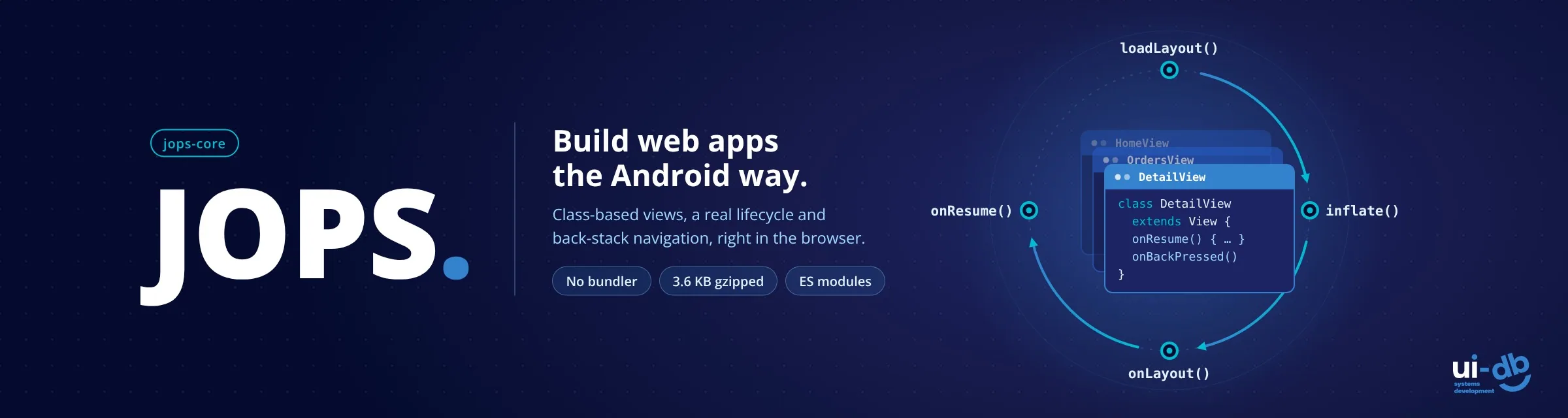
loadLayout()→inflate()→onLayout()→onResume(), plusonBackPressed(), modeled on Android. - Navigation with a back stack. A hash router with tab-style routes, a stack of screens, slide and fade animations, and deep links with query parameters.
- Layouts in plain HTML. Write layouts as
.htmlfiles or as escaped tagged template literals. - Small helpers, not a platform. A dot-path
Store, a staticEventBus, and aThreadclass for background work in a Web Worker. - Tiny and typed. About 10 KB minified, 3.6 KB gzipped, with no dependencies, and TypeScript declarations so editors autocomplete the whole API.
The lifecycle, if you've written Android
The framework calls each view's methods in a fixed order, so you always know where a piece of code belongs:
| Method | When it runs | What it's for |
|---|---|---|
loadLayout(path) | First | Load the view's HTML layout |
inflate() | After the layout loads | Turn the layout into live DOM |
onLayout() | Once the DOM is live | Add subviews, read initial data |
onResume() | Every time the view becomes visible | Refresh data, including on back navigation |
onBackPressed() | When the user navigates back | Save state or confirm leaving |
Here is a complete view. Event handlers are ordinary methods, wired to the markup with a single attribute:
import { View, Store, layout } from "jops-core";

export default class ProfileView extends View {
  async loadLayout() {
    await super.loadLayout("./src/layout/profile.html");
  }

  async onLayout() {
    this.addSubView("orders", new OrderList());
  }

  async onResume() {
    const name = Store.singleton().get("user.name");
    this.get("greeting").set(layout`Hello, ${name}`); // escaped
  }

  onSave(event) {
    Store.singleton().set("user.name", event.target.value);
  }
}
<!-- profile.html -->
<section>
<h2 id="greeting"></h2>
<input jops-event-bind onchange="onSave" />
<div id="orders"></div>
</section>Layouts are just HTML
Since version 1.0.12, a layout can be a plain .html fragment: no import, no export, no template syntax. Views nest declaratively, and the router is declared in the same markup:
<div class="app">
  <View jops layout="./src/layout/header.html"></View>

  <Router jops animation="slide">
    <View path="/home" jops layout="./src/layout/home.html"></View>
    <Orders path="/orders" jops src="./src/Orders.js"></Orders>
  </Router>
</div>
Each layout file is fetched once and cached for the life of the page. When you need dynamic markup in JavaScript, the layout tagged template escapes interpolated values by default, so user input can't inject HTML unless you explicitly mark it with raw().
Navigation that remembers where you were
The router supports the two navigation styles mobile developers already know:
- Flat routes (
href="#orders") switch between existing screens, like tabs. - Stacked navigation (
Router.singleton().navigate("/detail?id=42", DetailView)) creates a new screen on top of the current one, likestartActivity().back()pops it with an animation, and the previous screen'sonResume()runs again.
Deep links work out of the box: opening index.html#orders?tab=open lands directly on that route, and getParams() returns { tab: "open" } on first load.
Heavy work off the main thread
For CPU-bound tasks such as parsing, hashing or crunching a large dataset, extend Thread. The run() method executes in a Web Worker, and results come back to onMessage():
import { Thread } from "jops-core";

class ReportThread extends Thread {
  run(params) {
    // runs in a Web Worker, with no access to the page
    const total = params.rows.reduce((sum, r) => sum + r.amount, 0);
    self.postMessage(total);
  }
  onMessage(event) {
    console.log("Total:", event.data);
  }
}

new ReportThread().start({ rows });
Getting started in two minutes
Load JOPS from a CDN with two tags. No install required:
<script type="importmap">
{ "imports": { "jops-core": "https://cdn.jsdelivr.net/npm/jops-core@latest/lib/jops-core.min.js" } }
</script>
<script type="module"
        src="https://cdn.jsdelivr.net/npm/jops-core@latest/lib/jops-core.min.js"
        data-app="./src/App.js"></script>
Or scaffold a project with npm:
npm init -y
npm install jops-core
npx jops-core init
One practical note: ES modules don't load from file://, so serve the folder with any static server (for example npx serve) rather than double-clicking index.html.
When JOPS fits, and when it doesn't
JOPS is a good fit for internal tools, admin panels, dashboards, and hybrid apps running inside a WebView, where a build chain is overhead you don't need. It also suits teams coming from Android, iOS or C#, who think in classes and lifecycles rather than hooks.
It's worth being clear about the limits, too:
- No reactive state. The
Storeis a plain key-value container on purpose. Views read it inonResume()and update the DOM explicitly. If you want automatic re-rendering on every state change, a reactive framework is a better match. - It's young. JOPS reached 1.0 in October 2026. The API is stable within the major version, but the ecosystem around it is small.
- The source is private. JOPS ships as a minified module with full TypeScript declarations and is MIT-licensed for any use, including commercial projects. Feedback and bug reports go through GitHub issues.
Try it
- Live demo: JOPS Hello World
- Documentation and install: jops-core on npm
- Issues and discussions: GitHub
I'd especially like to hear whether the lifecycle model feels natural to developers who don't come from mobile, and what you'd need before using JOPS in a production internal tool.
JOPS is built and maintained at UIDB, a boutique team of senior engineers who build custom systems with our clients, side by side. If you're planning an internal tool, a hybrid app or a system that needs to hold up for years, we'd be glad to talk.
 Tags:
Tags:
- JOPS
- jops-core
- JavaScript framework
- SPA framework
- single page application
- vanilla JavaScript
- no build step
- no bundler
- ES modules
- import maps
- OOP
- object-oriented JavaScript
- Android lifecycle
- WebView
- hybrid apps
- internal tools
- web development
- UIDB


Need expert advice?
We'd love to hear about your challenge and propose a tailored solution.
Let's Talk
Leave a comment