

JOPS Goes Mobile: Hybrid iOS and Android Apps with Cordova and Capacitor
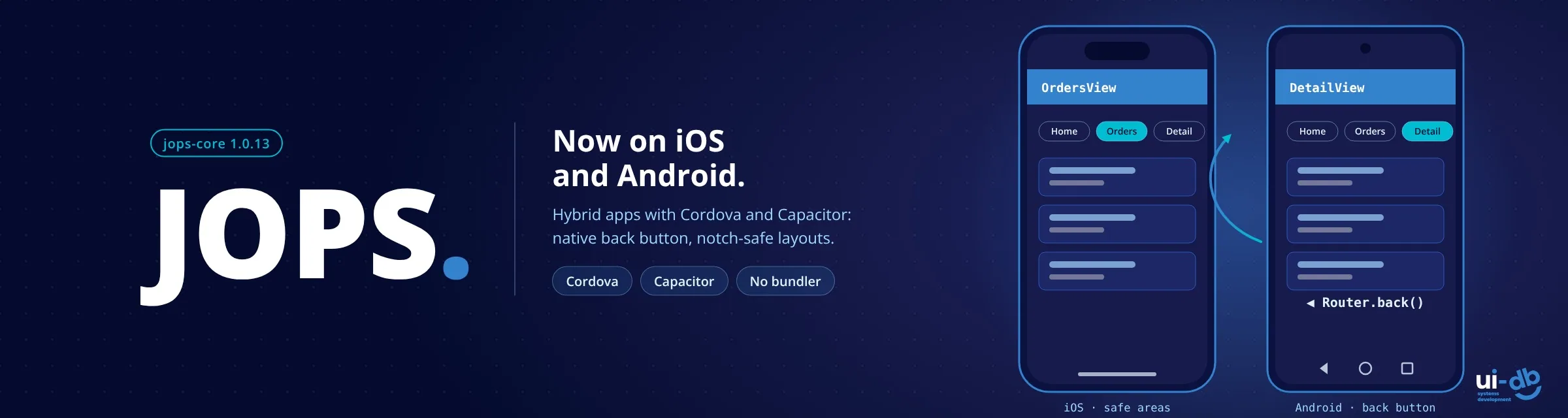
JOPS 1.0.13 runs unchanged inside Cordova and Capacitor, with the Android back button wired to the router, safe-area support and a setup command that knows your project
Published at: November 3, 2026
Updated: November 1, 2026
In short: Since jops-core 1.0.13, a JOPS app runs as a hybrid iOS and Android app inside Apache Cordova or Capacitor, with no bundler and no changes to your views. Setup takes 4 steps, npx jops-core init detects the shell and configures it, and the Android back button drives the JOPS router. It was tested on Cordova 12 and Capacitor 8.5, on iOS 26.4 and Android 16 simulators and on physical devices.
JOPS started from a simple idea: bring the structure of an Android app to the browser. Views are classes, every view has a lifecycle (loadLayout() → inflate() → onLayout() → onResume()), and navigation keeps a back stack. A framework shaped like a mobile app should also run as one, and with jops-core 1.0.13 it does.
The same JOPS app now ships to iOS and Android inside Apache Cordova or Capacitor, with no bundler and no changes to your views. This article covers what we changed, what we tested it on, and how to set up a hybrid project.
What's new in 1.0.13
- The Android back button drives the router. The hardware key and the back gesture call
Router.back(), and the first screen closes the app, as Android users expect. - A setup command that knows your project.
npx jops-core initdetects Cordova and Capacitor projects and writes the app into the folder the native shell actually serves. - Notch-safe layouts. Hybrid projects get
viewport-fit=cover, and the Hello World template pads its header and footer for notches, the Dynamic Island and the home indicator. - A more precise router. A new
canGoBack()method, andonBackPressed()now runs only on real back navigation. Before 1.0.13 it also fired when tapping a forward link, in every browser. - Nothing changes in a regular browser. Every mobile adjustment is either feature-detected or a CSS value that resolves to
0outside a native shell. A plain web project gets exactly the sameinitoutput as before.
What we tested it on
Before the release, we ran JOPS test apps in both shells, on both platforms:
| Shell | Versions | Platforms tested |
|---|---|---|
| Apache Cordova | Cordova 12, cordova-ios 8.1.1, cordova-android 15.1.0 | iPhone 17 Pro Max simulator (iOS 26.4), Pixel 2 emulator (Android 16, API 36) |
| Capacitor | Capacitor 8.5, @capacitor/app 8.1 | iPhone 17 Pro Max simulator (iOS 26.4), Pixel 2 emulator (Android 16, API 36) |
Beyond the simulator and emulator, we also tested the apps on physical iPhone and Android devices.
Ionic works through its framework-free UI components (@ionic/core) on top of Cordova or Capacitor. ionic start always scaffolds an Angular, React or Vue app, so start from a plain Cordova or Capacitor project instead.
A hybrid app in four steps
1. Create the hybrid project and its platforms. With Cordova:
cordova create my-app com.example.myapp MyApp
cd my-app
cordova platform add ios android
Or with Capacitor:
mkdir my-app && cd my-app
npm init -y
npm i @capacitor/core @capacitor/ios @capacitor/android @capacitor/app
npm i -D @capacitor/cli
npx cap init MyApp com.example.myapp --web-dir www
npx cap add ios
npx cap add android
2. Install JOPS in the project root, the folder with package.json, not inside www/. The shell copies the whole web folder into the app, so a node_modules/ there would be bundled too.
npm i jops-core3. Run init. It detects the project type and writes the app where the shell will find it:
npx jops-core init
# [jops-core] Detected cordova project → web folder: www/
4. Build and run with the shell's own tools: cordova run ios and cordova run android, or npx cap sync followed by npx cap run ios and npx cap run android.
Behind step 3, init handles the details that usually cost an afternoon. For Cordova it allows the inline import map and Thread workers in the Content-Security-Policy, adds cordova.js, keeps Cordova's sample page as index.cordova.html, and sets the iOS scheme to app://localhost. That last one matters: JOPS loads views and layouts with native import() and fetch(), which WebViews block on file:// pages. init never overwrites values you already set, and running it twice changes nothing.
The Android back button
This is the change that matters most on Android. On Android 16 (target SDK 36, with predictive back), an app that doesn't register a back handler closes on the first press of the back button, wherever the user is. For a single-page app, that means one accidental swipe ends the session.
JOPS now listens for the back button once the native shell reports it's ready:
- If
Router.singleton().canGoBack()is true, it callsRouter.back(), and the current view receivesonBackPressed()exactly as it does for browser back. - On the first screen, it closes the app, the standard Android behaviour.
It also smooths over a cordova-android 15 issue where a single key press fires the back event twice. In Capacitor, install the official @capacitor/app plugin and the same behaviour applies with no code; without the plugin, JOPS logs a console warning explaining what to add. If your app handles back itself, switch the built-in handler off:
<script type="module" src="/lib/jops-core.min.js"
        data-app="./src/App.js" data-native-back="off"></script>
Notches, the Dynamic Island and the home indicator
With viewport-fit=cover, the page extends under the status bar and the home indicator. Pad fixed bars with the safe-area insets. They are 0 in a regular browser, so the web layout doesn't change:
.header {
  padding-top: calc(1rem + env(safe-area-inset-top, 0px));
}
.footer {
  padding-bottom: calc(2rem + env(safe-area-inset-bottom, 0px));
}
What isn't covered yet
Two cases are still open, and we'd rather say so up front:
- The iOS edge-swipe back gesture in Cordova hasn't been tested yet.
- Navigating forward in the browser into a stacked view that was already closed does nothing.
One note for apps that are already published with Cordova on iOS: moving from file:// to the app://localhost origin means the app can't see data previously stored in localStorage or IndexedDB under file://. If your app stores data locally, plan a migration before switching.
Try it
- jops-core on npm: the full guide is in the README section "Hybrid Mobile Apps (Cordova, Ionic & Capacitor)"
- Live demo: JOPS Hello World, the template behind the mobile setup
- GitHub issues for bugs and device reports
- Introducing JOPS, if you're new to the framework
What's next: JOPS and Next.js
Next, the JOPS team will examine integration with Next.js and its server-side rendering. Next.js brings server rendering, routing and a large ecosystem; JOPS brings class-based views, an explicit lifecycle and no build step of its own. We want to find out how the two can work side by side, for example JOPS views running on the client inside server-rendered Next.js pages, so that teams can draw on the strengths of both and gain flexibility in each environment. We'll share what we learn, including what doesn't fit.
Update: that work shipped in jops-core 1.1.0 - read JOPS Meets Next.js for the setup and its limits.
Frequently Asked Questions
Which hybrid shells does JOPS support?
Apache Cordova and Capacitor, on both iOS and Android, from jops-core 1.0.13. In a regular browser nothing changes: every mobile adjustment is feature-detected or resolves to 0 outside a native shell.
Does JOPS work with Ionic?
Yes, through Ionic's framework-free components (@ionic/core) on top of a plain Cordova or Capacitor project. Do not start from ionic start, which always creates an Angular, React or Vue app.
Why does my hybrid app close on the first back press on Android 16?
With target SDK 36 and predictive back, an app that does not register a back handler closes immediately. JOPS registers one for you: it calls Router.back() while there is a screen to go back to and closes the app only on the first screen. In Capacitor this needs the @capacitor/app plugin.
Will my existing iOS Cordova app lose local data after the switch to app://localhost?
Data stored in localStorage or IndexedDB under file:// is not visible from the app://localhost origin, so plan a migration before switching an app that is already published.
How is this different from a React app in Cordova?
The shell is the same; the difference is the web layer. JOPS needs no build step, while a React app is built to static files first - our guide to React Cordova mobile development covers that route. For a broader comparison of hybrid, cross-platform and native, see the mobile app development guide.
JOPS is built and maintained at UIDB, a boutique team of senior engineers who build custom systems with our clients, side by side. If you're planning a hybrid mobile app or a system that needs to hold up for years, we'd be glad to talk.
 Tags:
Tags:
- JOPS
- jops-core
- hybrid mobile apps
- Cordova
- Apache Cordova
- Capacitor
- Ionic
- iOS
- Android
- WebView
- Android back button
- safe area
- JavaScript framework
- SPA framework
- no build step
- Next.js
- UIDB


Need expert advice?
We'd love to hear about your challenge and propose a tailored solution.
Let's Talk
Leave a comment